
The training platform between Google Drive and a $30,000 LMS contract.
Turn your Loom videos, Drive decks, and recorded walkthroughs into a structured training site with completion tracking, certificates, and reports. From $100/month. No annual contract. Powered by Moodle™.
Or just look around: explore the live demo — no signup needed.
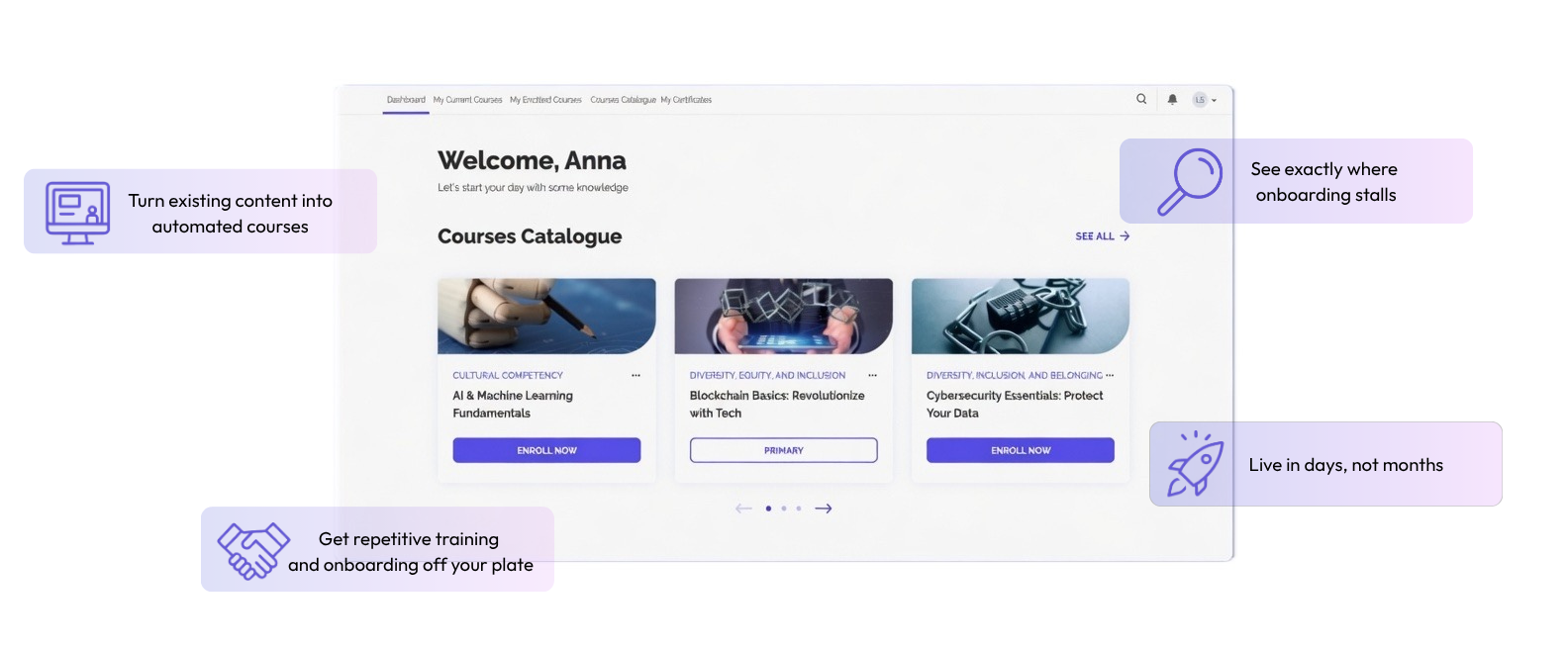
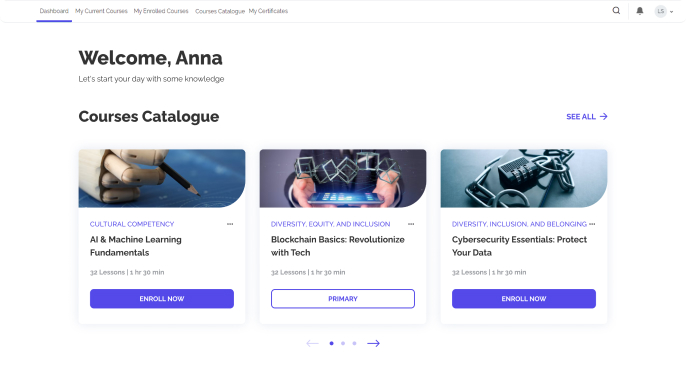
 Get repetitive training and onboarding off your plate
 Turn existing content into automated courses
 See exactly where onboarding stalls
 Live in days, not months
Features
Everything you need to turn scattered training content into a structured training site.
Built for teams who already have the content — and just need a platform to deliver it, track completions, and prove it works.
Ready-to-Deploy LMS Platform
Launch your Moodle™-based LMS instantly — no complex setup required. Pre-configured and ready to use, so you can start training right away.

Pre-installed Integrations & Plugins
Upgrade your LMS effortlessly with pre-installed integrations and plugins that simplify workflows and enhance learning experiences.

Hosting & Custom Domains
Get secure, high-performance hosting with custom domain options for a fully branded learning experience.

Flexible Subscription Plans
Choose from flexible subscription plans designed for all budgets. Enjoy a 14-day free trial, with custom solutions available upon request.

1:1 Consultation
Get expert guidance with our individual consultations to help you create customized courses and exams tailored to your specific needs.
Integrations
30+ seamless integrations, ready to go
With LMS Light, all essential plugins and integrations are pre-installed and configured — no extra setup required. Enjoy a fully equipped platform that works with your favorite tools right out of the box.

Kanban tool for managing projects and learning in MoodleTM courses

Automated notifications and powerful completion logic for better course workflows

Automatic question generator for Moodle using submitted text via OpenAI’s GPT API
Chat bot for answering questions and providing support

Zoom plugin for hosting online meetings and webinars

Module that allows having a live updating poll
Go1
Course integration tool providing the ability to automatically create and configure Go1 courses within your LMS. It also contains all of the main settings required to integrate with Go1 course content.
Plus, many more integrations we can build to meet your needs.

How We work
It’s simple.
1
Build your plan
Tell us about your training need in your own words. Our AI walks you through a few clarifying questions — about your team, your existing content, what success looks like — and produces a custom implementation plan in about 10 minutes. Download it, share it with your team or leadership, bring it to your discovery call.
2
Explore a live demo site
See what a fully configured LMS Light site looks like in practice. Real courses, real reports, real completion data. Log in as an admin, a manager, or a learner — each role sees the platform from a different angle. No signup required.
3
Talk to our team
Bring your plan to a 45-minute discovery call. We’ll walk through your existing content together, refine the implementation approach, and answer the questions a plan can’t — about your specific integrations, rollout timing, and how to get internal buy-in.
4
Get your site live in days
Once you’re ready, we’ll provision your site, help you build out your first courses from your existing content, and stay on standby as you roll it out to your team. Most teams have their training site running in days, not months. We handle hosting, security, and uptime — your team gets time back for the work only they can do.
PRICING
Get started today with our plans
If you don’t know which plan suits you best, you can Compare plans in detail
Core LMS
$100 / month
Up to 100 Concurrent Users
99.99% Uptime SLA
Custom Domain Add-on
Free 1 hr Onboarding Consultation
Onboarding Services Available
SSO
API Access
Grow LMS
$200 / month
Up to 500 Concurrent Users
99.99% Uptime SLA
Custom Domain Add-on
Free 1 hr Onboarding Consultation
Onboarding Services Available
SSO
API Access
Pro LMS
$300 / month
Up to 1,000 Concurrent Users
99.99% Uptime SLA
Custom Domain Add-on
Free 1 hr Onboarding Consultation
Onboarding Services Available
SSO
API Access
New to LMS software? Start with a plan, not a trial.
Map your setup in 10 minutesWhat is LMS Light?
LMS Light is a powerful yet lightweight Learning Management System designed to simplify online learning, training, and certification programs. Built on Moodle™ LMS, it leverages the world’s leading open-source learning platform to offer a user-friendly and scalable solution for organizations of all sizes. LMS Light is optimized for ease of use, ensuring that users with no technical background can quickly create and manage courses, assessments, and certifications.
Unlike traditional LMS solutions, which can be complex and require extensive setup, LMS Light focuses on accessibility, quick deployment, and seamless integration with tools like Zoom and ElectionBuddy. Whether you need to train employees, certify professionals, or conduct online polls, LMS Light provides an all-in-one platform with the reliability of a globally trusted learning system.
Who is LMS Light for?
LMS Light is designed to cater to a diverse audience, including professional associations, non-profits, businesses, and property owners’ associations. Each of these groups benefits uniquely from the platform:
- Professional & Trade Associations – manage certification programs, training, and compliance.
- Property Owners Associations (POAs & HOAs) – offer online training and governance courses.
- Non-Profits & NGOs – provide educational content and assessments for members.
- Small to Mid-sized Businesses – train employees with minimal setup.
How quickly can I set up LMS Light?
You can set up a fully operational LMS, including quizzes and certification issuance, within minutes. No technical expertise is needed, and our experts’ step-by-step setup guidance makes the process seamless.
With our onboarding assistance, users can configure their platform, add content, and invite learners without needing any technical expertise. Whether you’re an instructor setting up a new course or an administrator managing multiple learners, our intuitive dashboard ensures a hassle-free experience.
Additionally, LMS Light’s seamless integration with external tools such as Zoom for live training and ElectionBuddy for membership voting means you can add interactive elements without complex third-party installations.
Can I customize the look and feel of my LMS?
Absolutely. The platform offers flexible customization options to align with your brand identity and user experience goals. Our consultants will guide you through the process — from selecting themes and layouts to tailoring visual elements and user interface components — to ensure your LMS reflects your unique vision.
Can I switch plans later?
Whether you need more features, additional user capacity, or want to streamline costs, you can switch plans at any time through our self-service dashboard. Our system is designed for adaptability, ensuring you only pay for what you need.
Can I use my domain with LMS Light?
Yes! We support custom domain mapping, allowing organizations to brand their LMS with their domain name. This feature ensures that learners access courses through a professional and trusted URL, reinforcing brand identity.
Custom domains also improve credibility and trust among learners, making it clear that training is provided by your organization rather than a third-party platform. Domain mapping is included in all paid plans and can be set up quickly with our support team’s assistance.
Does LMS Light support mobile learning?
LMS Light is fully optimized for mobile use, ensuring learners can access courses from any device — whether it’s a desktop computer, tablet, or smartphone. The platform’s responsive design adapts to different screen sizes, making navigation smooth and intuitive.
For organizations with on-the-go employees or members, mobile learning is essential. LMS Light enables learners to complete training sessions at their convenience, whether they’re commuting, traveling, or working remotely. Video content, quizzes, and certification tracking all function seamlessly on mobile devices. Additionally, offline access options allow learners to download course materials and review them even without an internet connection.
Is there a free trial available?
Absolutely! We understand that choosing the right LMS is an important decision, so we offer a 14-day risk-free trial to let you explore all features. This trial period allows you to set up courses, conduct training, issue certificates, and test integrations before committing.
What support options are available?
We provide multiple channels of support to ensure users get timely assistance. These include:
- Live Chat support – get instant help from our support team for troubleshooting and general inquiries.
- Email & ticket-based support – submit detailed support requests and receive expert guidance.
- Comprehensive help center – access step-by-step guides, FAQs, and video tutorials to solve common issues independently.
With these options, organizations using LMS Light can quickly resolve any issues and ensure smooth operation.
Get in touch with us
Have questions or need a custom solution? Fill out the form, and our team will get back to you shortly!
Thank you !
Your letter has been received.
We will contact with you within 1 (one) business day.